Forms 2.0 - Phone
caution
This page is preliminary and subject to change as Forms 2.0 continues to be developed.
Collects phone numbers, with options for country selection, formatting, flags, and auto-detection.
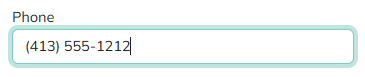
Adding a Phone field
Drag the Phone tile from the field palette onto the Canvas - see Build for more on adding and arranging fields in general.
Country modes
The Mode parameter controls how country selection works for the field, and which other parameters are shown:
| Mode | Behavior |
|---|---|
| Single Country | The field is locked to one country, chosen with the Country parameter. The country picker is hidden and the user enters the number in that country's national format. |
| Multiple Countries | The user picks from a restricted list of countries, set with Allowed Countries. |
| Global | The user can pick from all countries, optionally reordered with Preferred Countries or narrowed with Exclude Countries. |
Parameters
Only Phone-specific parameters are listed below. See Common Field Settings for the settings shared with other field types.
| Field | Description |
|---|---|
| Initial Phone Number | Sets an initial phone number. |
| Mode | See Country modes above. |
| Placeholder Option | Auto or Remove - controls whether a placeholder is shown in the input. |
| Country | Only shown in Single Country mode. The country the field is locked to. |
| Allowed Countries | Only shown in Multiple Countries mode. Comma-delimited list of country codes available in the dropdown (for example US,RO,IT). Supports Tokens. |
| Preferred Countries | Only shown in Global mode. Comma-delimited list of country codes to show at the top of the countries dropdown. Supports Tokens. |
| Exclude Countries | Only shown in Global mode. Comma-delimited list of country codes to exclude from the dropdown. Supports Tokens. |
| Enable GeoIP | Only shown in Multiple Countries or Global mode. Enables GeoIP-based detection of the initial country. |
| Initial Country | Only shown in Multiple Countries or Global mode, when Enable GeoIP is off. The country selected by default. Supports Tokens. |
| Initial Country Workflow | Only shown in Multiple Countries or Global mode, when Enable GeoIP is on. A workflow that determines the initial country, returning a country code to pre-select. |
| Root CSS Classes | One or more CSS class names, separated by spaces, applied to the field's root element only. Supports Tokens. |
| Custom Attributes | Name/value pairs inserted as HTML attributes on the field's <input> tag, for use by JavaScript or CSS. Supports Tokens. |
Common settings that apply to Phone
A Phone field supports these Common Field Settings:
- General (Label, Name, and Hint)
- Active
- Visibility settings
- Enabled settings
- Field Automations - Value and On Change (Phone does not support On Click)
- Field Validators
Tokens
A Phone field returns several tokens, referenced using the field's Name - for example, if the field's Name is Phone:
| Token | Description |
|---|---|
[Phone] | The complete phone number with international prefix, unformatted. |
[Phone:Formatted] | The complete phone number, formatted. |
[Phone:Local] | The local number, without the country prefix. |
[Phone:LocalFormatted] | The local number, formatted. |
[Phone:CountryCode] | The selected country's code (for example US). |
[Phone:CountryPrefix] | The selected country's dialing prefix (for example +1). |